Today’s lesson returned us to prime and composite. We examined how arrays can show whether a number is prime or composite.
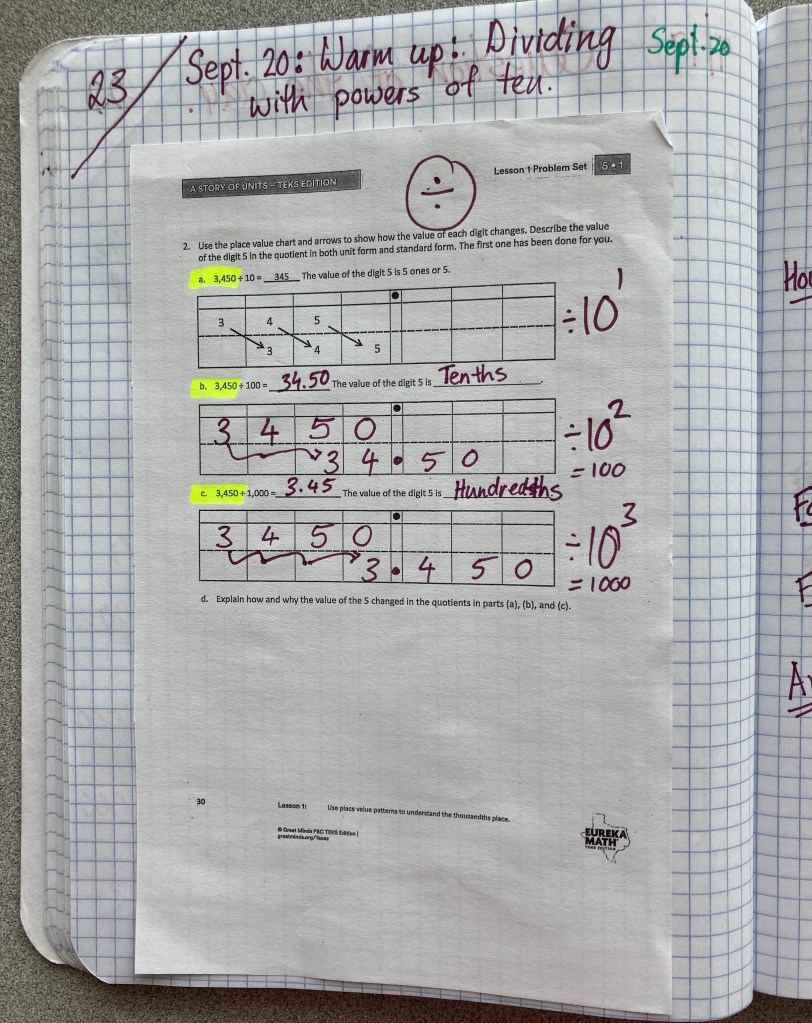
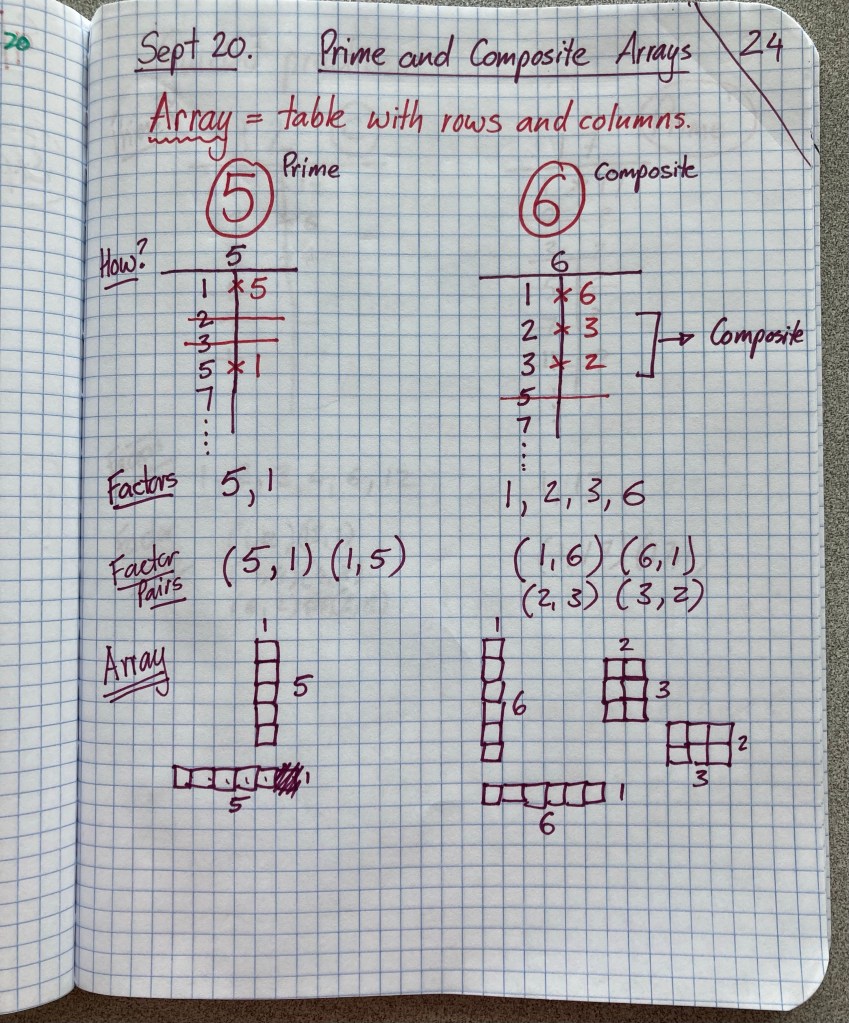
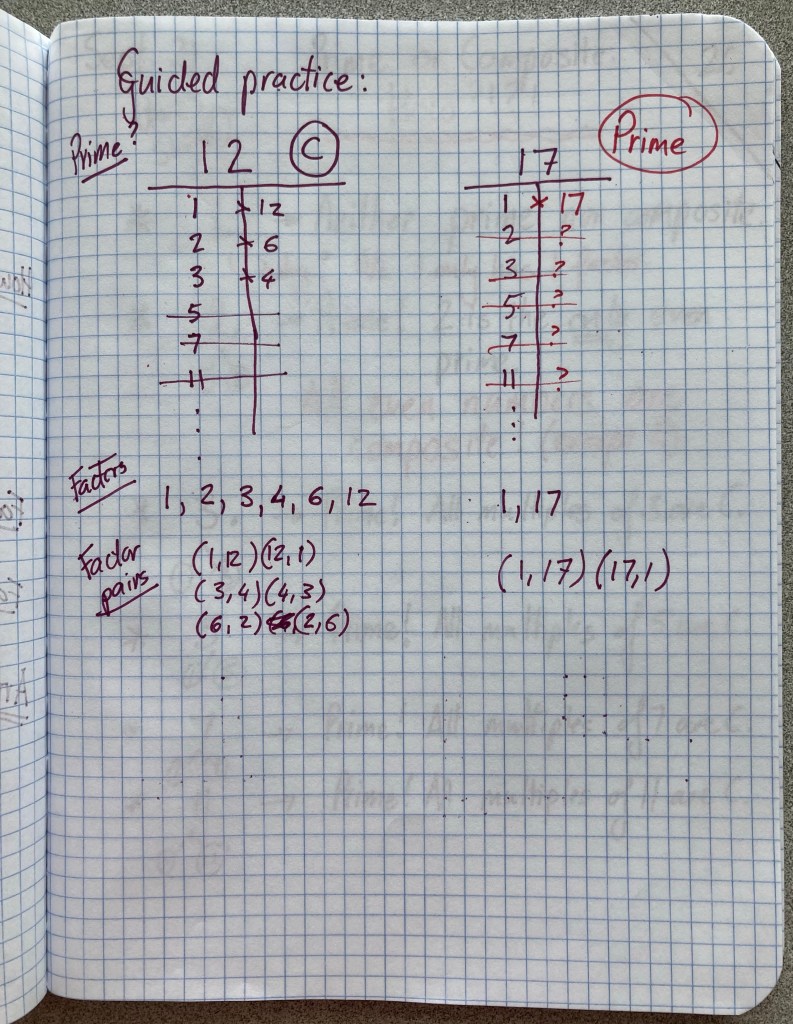
Today’s lesson returned us to prime and composite. We examined how arrays can show whether a number is prime or composite.
Please find below the websites we in use in class, with instructions for logging in from home.
HISD Digital Resources (Clever): Almost all of our resources are available from home via a single sign-on provided by Clever. To access these resources, go to www.houstonisd.org/digitalresources. Next, select “Log in with Active Directory“. The HISD sign-in page will appear. Enter your student email address in this format: s______@online.houstonisd.org (where the underlined blanks are replaced with the student number). Enter your HISD password which you use at school. Select “remember me”. Students should only have to enter their log-in credentials once and will then have access to Zearn, OnTrack, Renaissance, Kahn Academy, and multiple other District resources.
Zearn: Zearn is a self-paced learning software. Students should log in via HISD Digital Resources using the instructions above.
OnTrack: OnTrack provides online end-of-unit assessments and progress tracking. Students should log in via HISD Digital Resources using the instructions above.
Prodigy: Prodigy is a curriculum-aligned math game. Students can play at home and will work on class topics as well as review areas in which they need extra practice. Log in at https://play.prodigygame.com/. Select the “sign in with Google” option. Then enter your student email address in this format: s______@online.houstonisd.org (where the underlined blanks are replaced with the the student number). Enter your HISD password which you use at school. You should only have to enter these credentials once. Then enter your class code when prompted. Please ask Mr. J or check ParentSquare for class codes so that students are in the right class and completing the correct work.
HISD Parent Connect / PowerSchool: HISD Parent Connect or PowerSchool is used to check grades. Please find more information on how to check your grades here.
Please find below a short guide to reading your (or your student’s) math grades.
Grading approach: Grades are a useful way to measure progress to mastery of the various skills we are learning, but they don’t always reflect a student’s true ability. As I tell our students “your ability grows with your effort”, so I give students every opportunity to improve and see growth, not matter where their grades begin.
Types of graded assessments: Each unit, students typically submit two to three graded assessments. Assessments usually consist of a notebook grade, an end-of-unit test, and one or more classroom assignments. Notebooks are graded against a rubric provided to students, focusing on completeness and accuracy. Assessments labelled “classroom” or “group work” typically have a higher average because students are often working collaboratively to learn from each other and complete their work. Assessments labelled “end-of-unit test” are completed individually and are intended to assess progress toward mastery of the skills being taught. End-of-unit assessments are composed of past STAAR questions.
Meaning of letter and number grades: Generally, 90% or above (an “A”) indicates that the standard for the assessment was met and the student is showing mastery of the skill. 80% or above (a “B”) indicates very good application of the skill but some room for growth in accuracy, thinking, or completeness. 75% and above (a “C”) indicates that the student is learning the skill but has significant gaps which we need to work on. 71% to 74% indicates some application of the skill but major gaps in accuracy or completeness. Below 70% (a failing grade) indicates the student has not yet developed the skill being learned.
Retaking scores below 70%: If a student scores below 70% on any assessment, they will review the concepts with me and then have the opportunity to take the assessment again. Their score will be the average of the first and second attempts, with a maximum of 70%.
Missing work: Any missing work may be submitted up to the end of the six-week grading period. Students are expected to ensure their work is complete and submitted on time. This is an important skill to develop as students transition to middle school. Students should log into PowerSchool periodically and check that they are not missing any items. Missing work is flagged in the system.
Viewing grades through the PowerSchool app on a mobile device: You can also view grades by downloading the PowerSchool Mobile app for iOS or Android. The app walks you through the log in process using a parent account or student credentials.
Viewing grades though HISD Connect (PowerSchool): Students and parents should log into HISD Connect to view all grade information. To log in, go to www.houstonisd.org and select “Grades” in the top gray menu bar. On the next page, select “Log in to HISD Connect”. This will direct you to the HISD Connect (PowerSchool) log in page: https://hisdconnect.houstonisd.org/public/. Students log in with their regular credentials, while parents may create an account. Please let me know if you have any problem logging in.
Grading periods: The District has six grading periods per year. Each grading period is 6 weeks long. By policy we have between six and nine grades per six-week grading period. I aim to give as many grades as possible so that students have lots of opportunity to show their progress.
Progress reports vs. report cards: A progress report is sent home after the first three weeks of each grading period, while a report card is sent at the end of each six-week grading period. In HISD Connect / PowerSchool (our online grading system), progress periods are marked P1, P2, P3, etc. and report card periods are marked C1, C2, C3, etc.
Determination of overall grade: The overall grade for each three-week progress report period is the average of the grades during those three weeks. The overall grade for the six-week report card period is the cumulative average of all grades for that six-week period. This means that students can increase (or decrease) their overall average grade between the progress report (three weeks) and final report card (six weeks). A student’s final annual grade is an average of the grades earned for each of the six-week grading periods.
Guides
Units
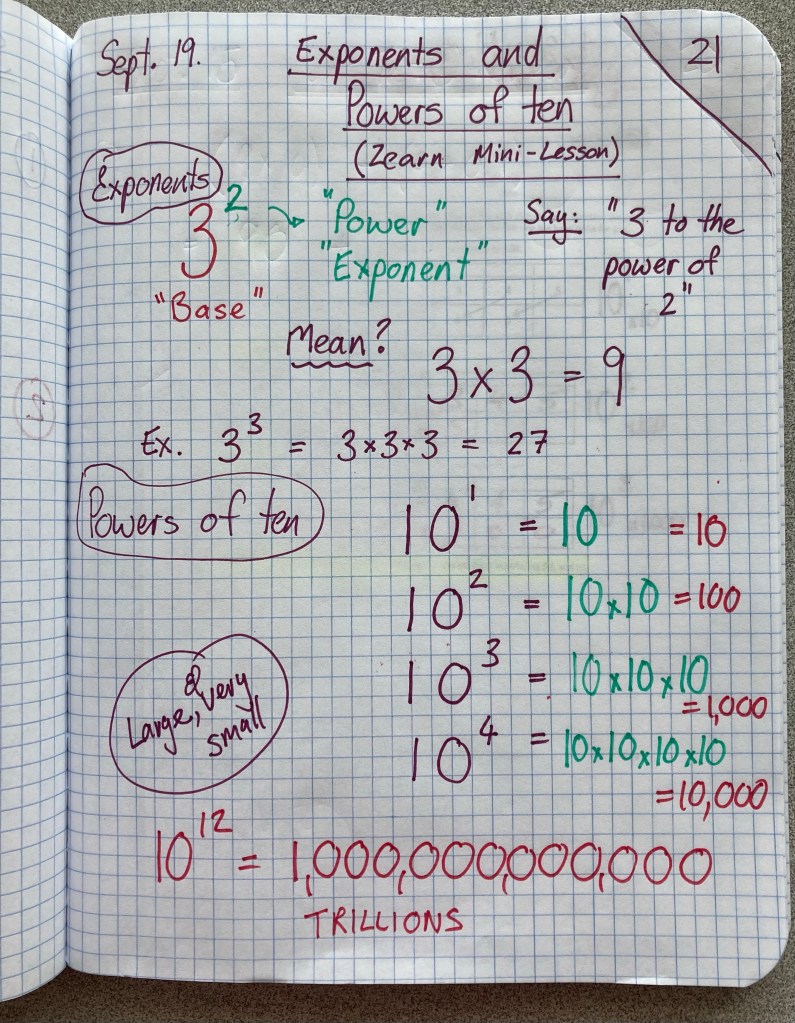
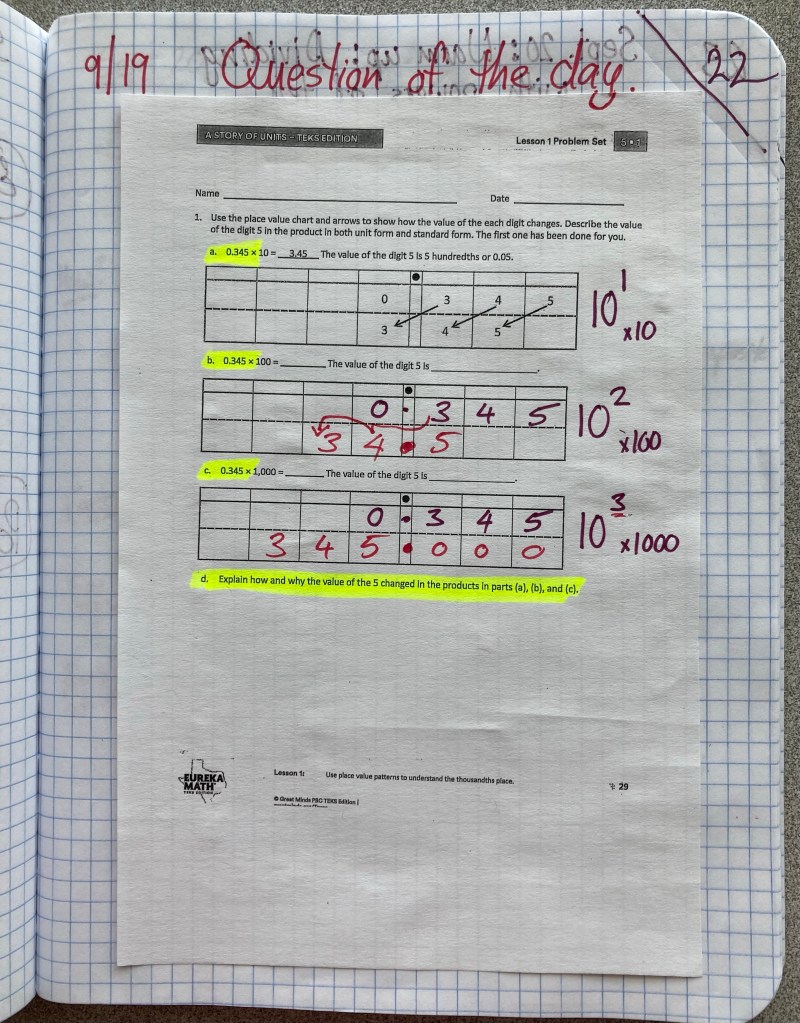
5th graders, I noticed that some of our sled-paced lessons on Zearn are touching concepts I haven’t taught yet. So, today we are taking a moment from prime and composite to learn about exponents and powers of ten. This will help to keep you moving through Zearn and also help with multiplication and division soon.
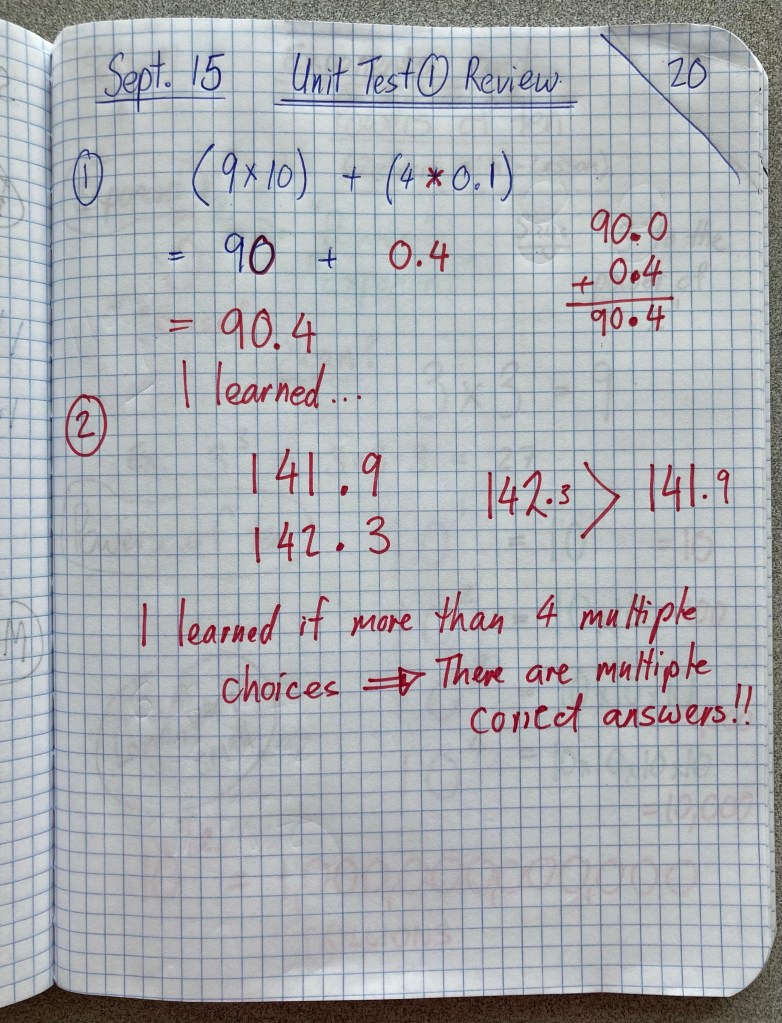
In today’s lesson, we reviewed a selection of questions from our Unit 1 test. These three questions are the ones with the lowest average score among all students.
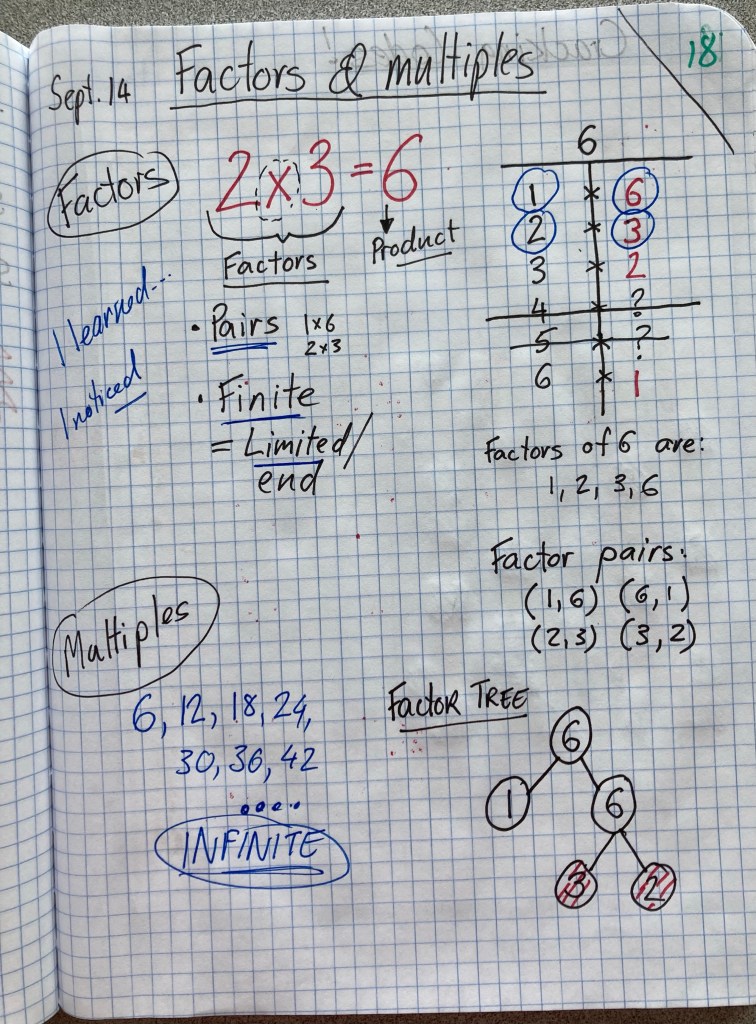
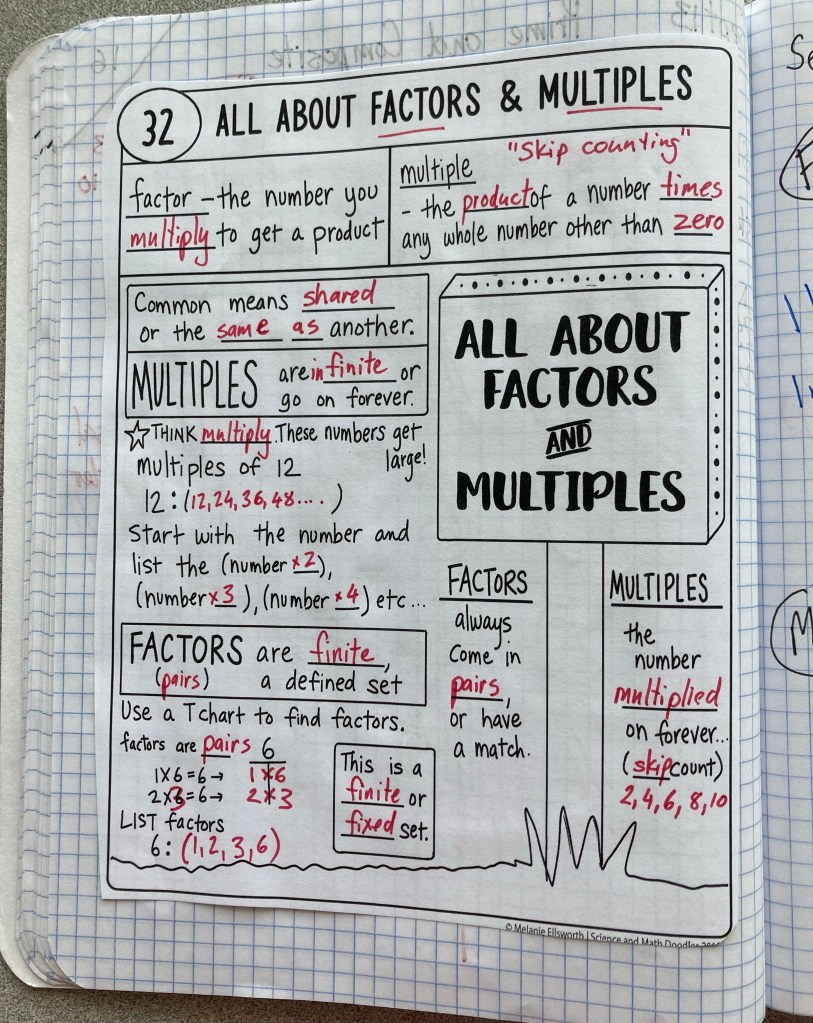
Today we took a deeper look at factors and multiples. We studied different ways to find factors and compared the to multiples.
After our lesson on factors and multiples, we connected multiples to prime and composite by finding the multiples of each prime number up to 13. We saw how this algorithm lets us filter or find all of the primes up to 100. For extension, we looked briefly at how primes can be used in codes.
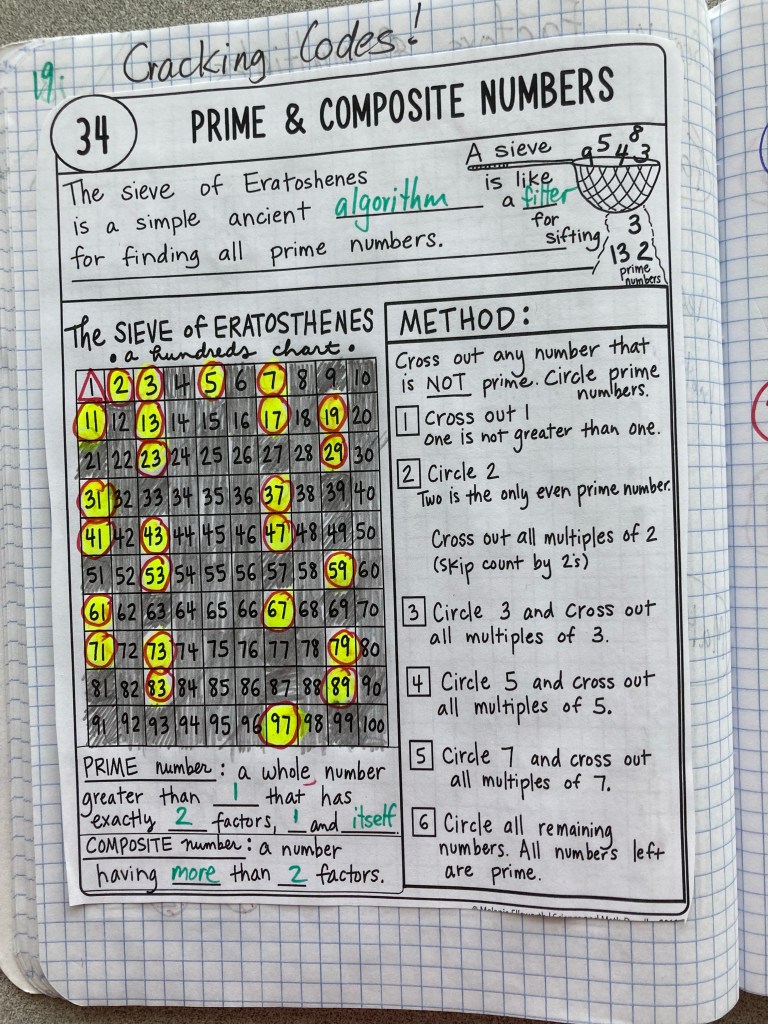
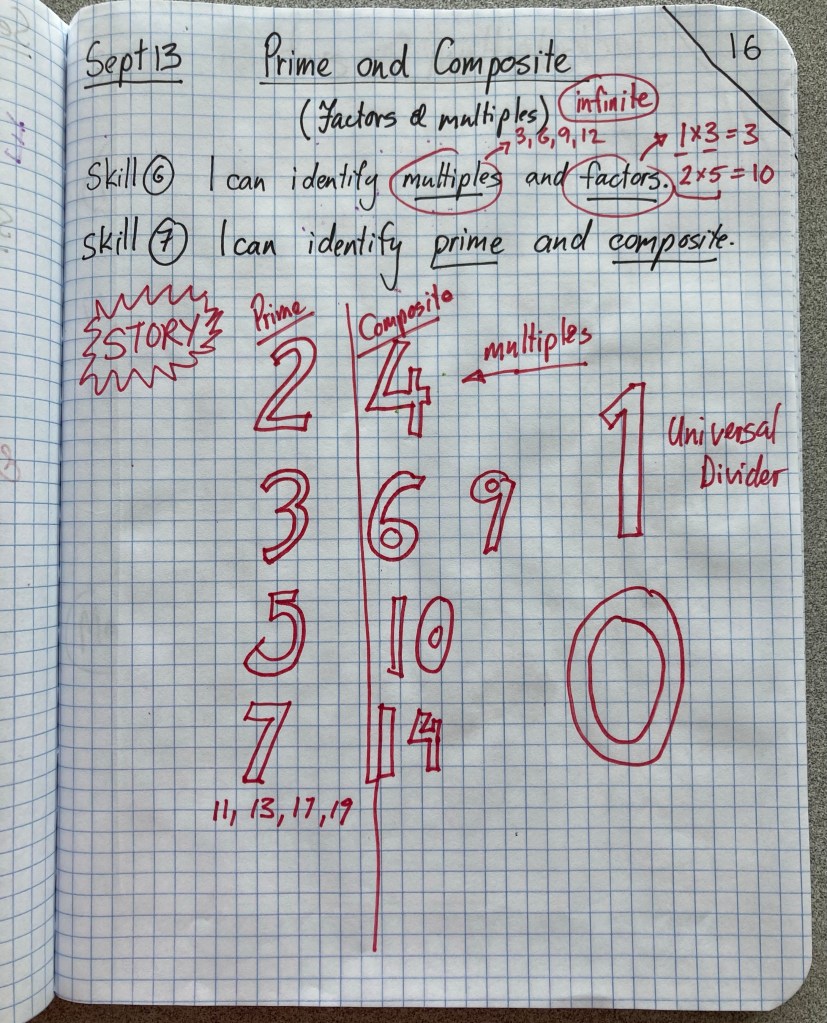
Our lesson introduced two new skills: identifying prime and composite numbers and understanding factors and multiples.
We learned the early prime numbers (2,3,7,11,13) and how they are related to multiples and factors.
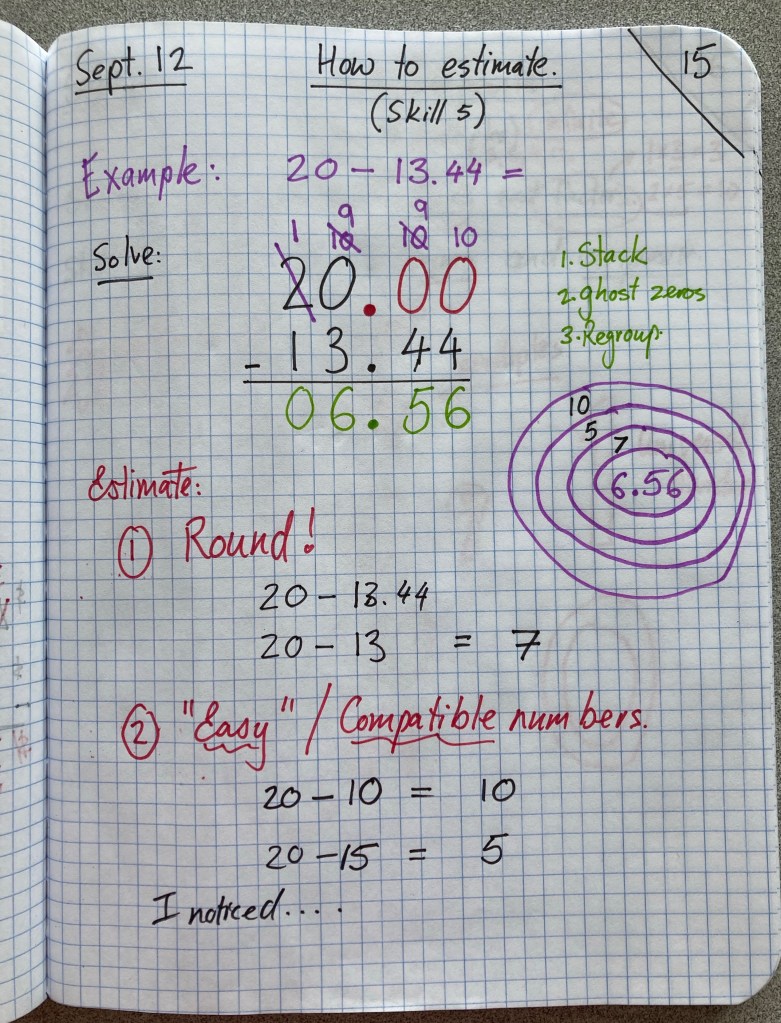
Today we looked at different ways to estimate, including rounding and compatible numbers.
Here’s a summary of the work we’ve done for Unit 2. (This unit is a review of fourth grade material, with the addition of using the thousandths place value and learning more estimation strategies).
Skills:
Lessons and mini-lessons:
Extra practice: Download extra practice questions

 Mr. J’s Math Class